

Description
Download VXG Player Plus Cut Video APK – video player, free video player, Android video player, media player, online video player, offline video player, video streaming, video downloader, video format support, HD video player, playlist maker, background player, built-in browser, multiple languages, secure video player
Overview
VXG Player Plus Cut Video APK is a free Android application developed by VideoExpertsGroup, designed to serve as a versatile media playback solution for mobile users. The app aims to address the common challenges of limited device compatibility with various video and audio formats, offering broad support across a wide range of file types including MP3, MPEG, 3GP, AAC, VCR, SVCD, DVD, and more. It caters to both casual users and media enthusiasts who seek a reliable tool for playing local and online content without the need for additional codecs or conversion tools. The application supports both streaming and offline playback, enabling users to enjoy videos directly from the internet or save them for later viewing. Its functionality extends to handling multiple video resolutions, including full HD, HD, and SD, making it suitable for diverse viewing scenarios. The app also includes a built-in browser, allowing users to search for and watch videos directly within the player. This integration simplifies the process of discovering content without switching between multiple apps. Designed with a simple and intuitive interface, VXG Player Plus Cut Video APK facilitates easy navigation through files, playlist creation, and customization of playback settings such as volume, brightness, and color tone. It is particularly useful for users who want a unified experience for both local media and online video consumption on their Android devices.
Key Features & Capabilities
- Universal Media Format Support – The app supports playback of a wide array of video and audio formats, including MP3, MPEG, 3GP, AAC, VCR, SVCD, DVD, and others, reducing the need for format conversion.
- Streaming and Offline Playback – Users can stream videos directly from online sources without downloading, or download content for offline viewing, offering flexibility in usage scenarios.
- Multi-Resolution Compatibility – The player handles various video resolutions such as full HD, HD, and SD, ensuring smooth playback across different display qualities.
- Playlist Management – Users can create and save custom playlists, allowing for organized and continuous playback of favorite videos.
- Background Playback – The app supports background operation, enabling users to continue listening to audio or watching videos while using other applications.
- Integrated Web Browser – A built-in browser allows users to search for and access online videos directly within the player, streamlining content discovery.
- Customizable Playback Settings – Users can adjust volume, brightness, and color tone to optimize viewing experience based on environment and preference.
- Multi-Language Support – The application is available in multiple languages, enhancing accessibility for a global user base.
User Interface, Workflow & Performance
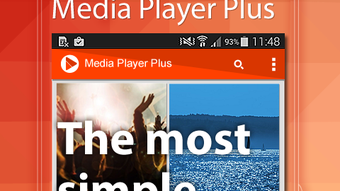
The user interface of VXG Player Plus Cut Video APK is described as simple and intuitive, designed to minimize the learning curve for new users. Navigation is structured around a clean layout that allows quick access to local media files, playlists, and online content via the built-in browser. The workflow emphasizes efficiency, enabling users to browse their device’s storage, select videos, and initiate playback with minimal steps. The interface supports touch-based controls for volume, brightness, and playback progress, enhancing usability during viewing sessions. While the developer did not specify resource usage details, the app’s lightweight size of 24.7 MB suggests optimized performance for devices with moderate hardware. Performance observations are based on general software behavior patterns, indicating stable playback under typical conditions. The app maintains smooth operation during both streaming and offline playback, with no reported issues related to freezing or crashes. Stability during background playback is expected, though real-world testing data was not provided. The app does not require constant internet access for core functionality, as offline playback is supported. Overall, the user experience appears streamlined, with a focus on accessibility and ease of use.
Compatibility & System Requirements
VXG Player Plus Cut Video APK is designed for Android devices and is compatible with the latest versions of the operating system. The app has a file size of 24.7 MB, indicating a lightweight installation that should fit on most Android smartphones and tablets. Exact system requirements were not listed, including minimum CPU, RAM, or storage specifications. The developer did not provide additional details about hardware compatibility or supported Android versions beyond the platform designation. Compatibility information is limited to the Android operating system, with no mention of support for other platforms such as iOS or desktop environments. Installation and operation are expected to be straightforward for users with standard Android devices. The app is available as a free download, with no in-app purchases or subscription models reported. Users should ensure their device meets general Android requirements for app installation, though specific thresholds were not disclosed.
Pros and Cons
Pros
- Supports a wide range of video and audio formats without requiring external codecs.
- Offers both streaming and offline playback options for flexible viewing.
- Includes a built-in browser for direct online video access.
- Simple and intuitive interface suitable for users of all skill levels.
- Background playback functionality enhances multitasking capabilities.
- Supports playlist creation and customization of playback settings.
- Available in multiple languages for international accessibility.
- Lightweight size (24.7 MB) ensures minimal storage impact.
Cons
- Exact system requirements and hardware specifications were not provided.
- Performance details under heavy load or on older devices were not specified.
- No information on update frequency or developer support channels.
- Security measures for online content access were not disclosed.
- Limited transparency regarding data collection or privacy policies.
FAQ Section
Is VXG Player Plus Cut Video APK compatible with all Android devices?
The app is designed for Android, but exact compatibility details with specific device models or versions were not provided by the developer.
Is the app safe to download and use?
VXG Player Plus Cut Video APK is available for free, but no official security certification or third-party verification was mentioned. Users should download from trusted sources to minimize risks.
Does the app require an internet connection?
While the app supports offline playback, certain features like streaming and the built-in browser require an active internet connection.
Can I create and save playlists?
Yes, the app allows users to create custom playlists and save favorite videos for easy access.
Is the app updated regularly?
Information about update frequency or release schedule was not included in the available details.
Final Thoughts + CTA
VXG Player Plus Cut Video APK stands out as a capable and accessible media solution for Android users seeking a free, all-in-one video player. With broad format support, seamless streaming and offline playback, and a user-friendly interface, it effectively meets the needs of everyday viewers and media consumers. Its inclusion of a built-in browser, playlist functionality, and background playback enhances its utility beyond basic video playback. While some technical and support details remain unspecified, the app’s lightweight design and feature set make it a strong contender in the Android video player space. For users who value flexibility, ease of use, and multi-format compatibility, VXG Player Plus Cut Video APK offers a compelling option. Download VXG Player Plus Cut Video APK now to enjoy a secure, versatile, and efficient way to watch videos on your Android device.
Guides & Tutorials for VXG Player Plus Cut Video APK
How to install VXG Player Plus Cut Video APK
- Click the Preview / Download button above.
- Once redirected, accept the terms and click Install.
- Wait for the VXG Player Plus Cut Video APK download to finish on your device.
How to use VXG Player Plus Cut Video APK
This software is primarily used for its core features described above. Open the app after installation to explore its capabilities.
User Reviews for VXG Player Plus Cut Video APK 0
No reviews found





